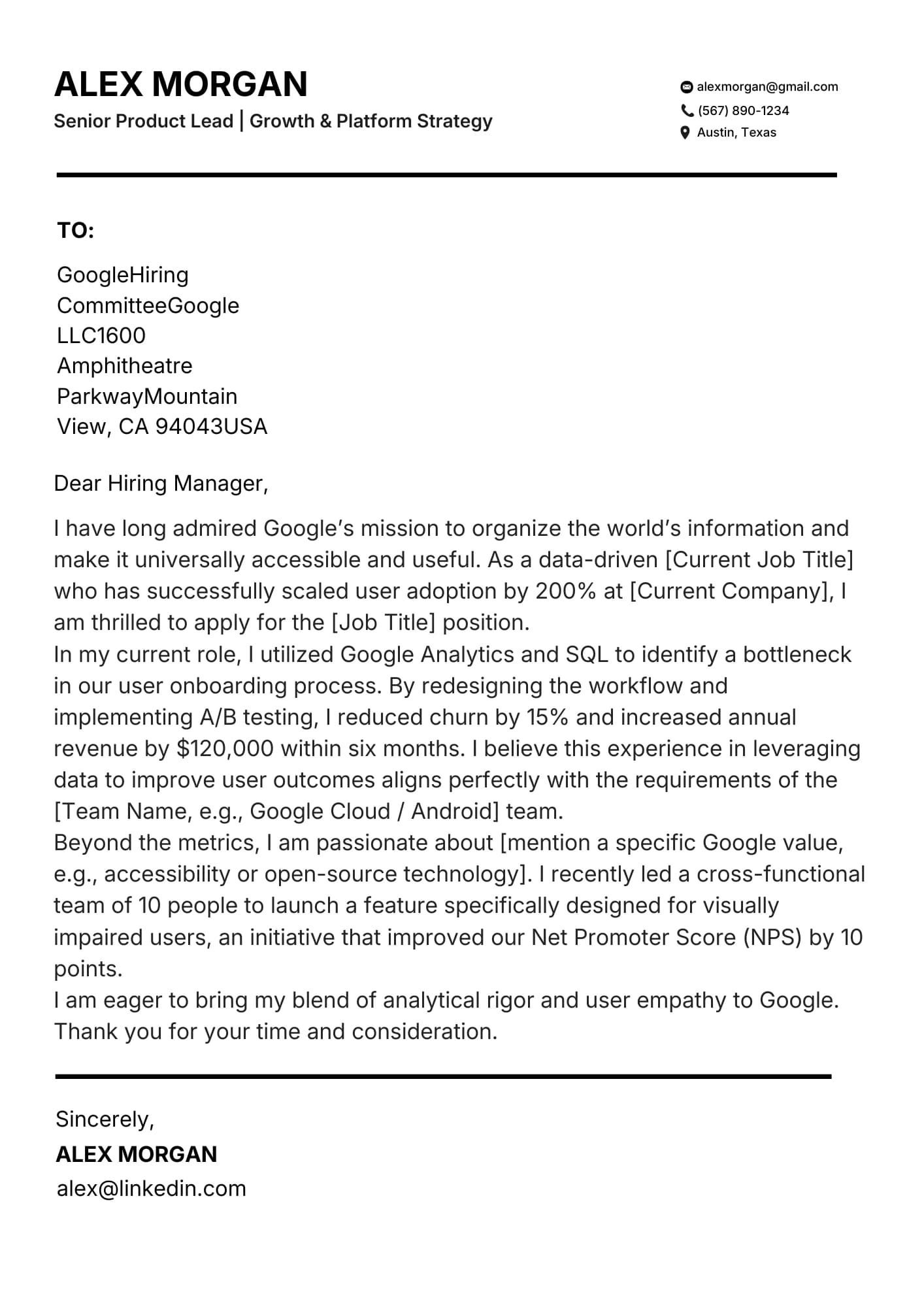
Cover Letter Builder UK: ATS-Friendly in 3 Minutes
Most cover letters fail before a recruiter reads them because they miss role language or break ATS parsing. This guide shows how to generate JD-matched drafts, personalize quickly, and export a clean PDF for UK applications.
What you will learn
- How JD-based drafting creates targeted letters, not generic templates
- What keeps formatting ATS-safe across UK hiring platforms
- How to personalize quickly before exporting a recruiter-ready PDF
Core concept
What is a cover letter builder?
Quick answer
A cover letter builder turns your profile and a job description into a role-specific draft you can edit and export, while keeping ATS-safe formatting by default.
Input
Profile + job ad
Output
Tailored draft + PDF
Goal
ATS-safe and recruiter-ready
Why it works
- Matches language and priorities from the job description.
- Uses ATS-safe structure (plain text, standard fonts, no layout traps).
- Produces a strong first draft fast, then lets you personalize before export.
The key difference between a modern builder and a static template is tailoring. Instead of filling blank placeholders, you start with a draft that already reflects role-specific terminology and emphasis.
For UK applications, that matters because cover letters move through parsing and scoring before a human review. A4-friendly formatting, British English, and one-page structure keep your letter readable in ATS and clear to recruiters.
Why the numbers matter
Typical time from job ad to first tailored draft
ATS parse success rate in testing on Greenhouse and Teamtailor
Interview rate uplift with a tailored letter vs CV-only applications
Applications that include a tailored cover letter see roughly 2.4 times more interviews than CV-only applications. The key word is tailored. A generic letter sent to every role does not produce this uplift. The builder generates a new draft for each JD, which is the practical reason the interview rate improvement holds.
The 94% parse success rate matters because a letter that fails to parse is invisible to the recruiter. ATS platforms like Greenhouse and Teamtailor silently drop content they cannot read. Testing NeuraCV templates against these platforms confirms that single-column, plain-text output survives the parse step reliably. The 3-minute draft time is the other critical number: if tailoring takes 45–90 minutes per application, most people stop doing it. When it takes 3 minutes, it becomes a realistic part of every application.
How the builder works
Five steps from job ad to PDF. No design experience or copywriting background required.
Paste the job description
Paste the full job ad — job title, responsibilities, and requirements. The tool reads the role requirements and must-have skills from the text and uses them to shape the draft. The more complete the JD you paste, the more precisely tailored your letter will be.
Choose your template
Pick from Professional Pitch, Modern Minimalist, Classic Elegant, or Creative. All four use ATS-safe formatting: selectable text, standard fonts like Calibri or Arial, and no graphics or tables that break parsing. UK A4 layout is the default.
Get a first draft
Your stored profile is matched to the JD and a tailored draft is generated in seconds. The opening line references your experience level and the role. Key phrases from the job description are woven into the body. You get a complete letter to work with, not a blank page.
Edit and personalise
Adjust tone, drop in a concrete achievement with a number, add the hiring manager's name, or reword any paragraph. All editing happens in one place with a live preview alongside. The builder flags hollow phrases so you know where to add substance.
Download as PDF
Export as PDF. Layout, fonts, and spacing are preserved so the letter looks right when viewed in ATS, forwarded by email, or printed. The file name follows a recruiter-friendly convention: FirstName-LastName-CoverLetter.pdf.
One of the most useful properties of the builder is profile reuse. Your work history, education, and skills are stored in one place. When you apply to a new role, you paste the new JD and a fresh tailored draft is generated from the same profile. You do not rewrite your background for every application — only the letter content changes to match the new role.
Try the Builder FreeWhat the builder offers
Eight features that directly affect whether your letter gets past ATS and gets read by a recruiter:
Keyword match to JD
Pulls role-specific phrases and required skills directly from the job description. Your letter includes the terms recruiters and ATS look for, placed naturally in context rather than forced into a list.
4 ATS-safe layouts
All four templates use selectable text, standard fonts (Calibri, Arial, or Times New Roman), and single-column structure. No graphics, no text boxes. Each layout is tested to parse correctly on Greenhouse, Workday, and Teamtailor.
Inline editing with live preview
Edit in one place and watch the formatted preview update in real time. No switching between a text editor and a design tool. What you see in the preview is what gets exported to PDF.
Per-role tailored drafts
Each new job description generates a new letter. Your profile stays the same — the content adapts to the role. Apply to 10 different jobs and get 10 distinct drafts, not the same letter pasted 10 times.
PDF download
Export as PDF with preserved layout, spacing, and fonts. The file opens consistently whether a recruiter views it on Mac, Windows, or directly in ATS. File naming follows a clean, professional convention.
ATS score check
Before you send, run an ATS score on the letter to check how well the content matches the job description. Get specific suggestions — missing keywords, weak phrases, or format issues — before you submit.
UK English by default
British spelling, UK date format (DD/MM/YYYY), and vocabulary aligned to UK job boards and ATS platforms including Reed, Indeed UK, and LinkedIn. No post-export spell-check needed for UK roles.
Re-use across roles
One profile, many letters. The builder stores your work history, education, and skills so every new draft starts from your real experience. Change role, paste a new JD, and get a fresh tailored letter in seconds.
Builder vs writing from scratch
Writing the letter yourself still works. The question is whether the time investment is proportionate to the volume of applications you are sending.
| Aspect | Using the builder | Writing manually |
|---|---|---|
| Time to first draft | < 3 min | 45–90 min |
| Keyword fit to JD | Pulled from job text | Added manually — easy to miss terms |
| ATS formatting | Built-in by default | Depends on the template you use |
| Applying to multiple roles | New draft per JD, same profile | Full rewrite each time |
| Grammar and tone check | Checked in-app before export | Needs a separate pass or tool |
| UK English | Default — British spelling throughout | Only if you check manually |
Writing from scratch still makes sense in specific situations: highly personal applications for creative roles, letters where your relationship with the company or hiring manager is a central selling point, or senior applications where the tone and narrative arc matter more than keyword density. In those cases, the builder is still useful for the first draft — it removes the blank-page problem — but the final version may involve significant manual editing.
For most standard UK job applications — roles with a JD, an ATS portal, and a recruiter screening volume — the builder wins on speed and keyword coverage. The draft handles the structural requirements (ATS-safe format, relevant terms, standard length) so your editing time goes on the parts only you can write: a specific achievement, a reason you are drawn to this company, or a reference to a recent project.
The hybrid approach: Use the builder for the first draft, then spend 5–10 minutes on one key paragraph — either the opening (replace the generic line with something specific to this company) or the achievement paragraph (add a number and context the builder could not know). The result reads like a hand-written letter but took 15 minutes, not 90.
Do's and don'ts for UK cover letters in 2026
These are the most common mistakes that cause otherwise strong letters to fail at the ATS or recruiter stage:
What to DO
- Use the actual job description — generic input produces generic text. The more specific the JD, the sharper the draft.
- Add at least one concrete achievement with a number (e.g. "reduced onboarding time by 30%") to the draft.
- Use the hiring manager's name in the opening when you can find it. "Dear Sarah" reads better than "Dear Hiring Manager".
- Export as PDF to keep formatting intact across different devices and email clients.
- Run the ATS score check before you submit to catch missing keywords and formatting issues.
- Mirror the company's language and values from the job description opening — show you have read beyond the job title.
- Include the company name and the exact role title in the opening paragraph — it signals focus and attention to detail.
What to AVOID
- Sending the same letter to every role without changing it for the specific JD — recruiters notice.
- Graphics, logos, or images in the letter body — most ATS cannot read them and some strip them entirely.
- Going over one page — short, focused letters get read; long ones get skimmed or closed.
- Pasting your full CV into the cover letter body — the letter should complement the CV, not duplicate it.
- Opening with "I am writing to apply for…" — start with what you bring, not a statement of the obvious.
- Using passive voice throughout — "I delivered" reads stronger than "delivery was achieved".
- Ending with a weak closing line — a clear call to action ("I look forward to discussing this further") is more effective than trailing off.
Single most important rule: Tailor every letter to the specific JD. A recruiter reviewing 50 applications in one morning reads the first line of each cover letter before deciding whether to continue. A line that mentions the role title and one specific requirement signals that you have read the posting — which already puts you ahead of the majority of generic applications.
FAQ: Cover letter builder UK
Long-tail answers on ATS compatibility, UK formatting, keyword strategy, and per-role personalization.
What is the best cover letter builder for UK jobs in 2026?
The best builder creates role-specific drafts from your job description, keeps formatting ATS-safe, and exports clean PDF files. For UK roles, it should also support British English and A4 defaults.
How does a cover letter builder match my letter to a job description?
It scans the posting for required skills, priorities, and role language, then maps those signals to your profile. You get a first draft that reflects the advert instead of generic filler.
Can ATS systems read cover letters made with online builders?
Yes, if the output uses plain text, standard fonts, and a simple single-column layout. ATS-safe builders avoid tables, graphics, and text boxes that break parsing.
How long should a UK cover letter be for ATS and recruiters?
One page is the safest standard. Three to four focused paragraphs usually perform better than long, dense letters.
Is a free cover letter builder enough to get interviews?
A free builder is enough to create strong drafts if you tailor each letter and add proof-based achievements. Quality of tailoring matters more than price tag.
Should I reuse the same cover letter for every application?
No. Reused letters usually miss role-specific keywords and priorities. A new draft per job ad gives better ATS fit and recruiter response.
What keywords should I include in a UK cover letter?
Use phrases from the job description that you can support with real examples. Pair each keyword with scope, action, or a measurable result.
Can graduates use a cover letter builder with little experience?
Yes. Entry-level drafts can focus on coursework, internships, projects, and transferable skills while still matching the role language in the advert.
What file format is best for ATS: PDF or DOCX for cover letters?
For most UK workflows, a clean text-based PDF is reliable and preserves layout across devices. If an employer requests DOCX explicitly, follow that instruction.
How is NeuraCV different from generic cover letter templates?
Templates start blank and depend on manual rewriting. NeuraCV starts from your profile plus the job description to generate role-specific drafts faster.
Can I tailor tone for corporate, startup, and creative roles?
Yes. Start with the same core evidence, then adjust wording and tone to match company style while keeping ATS-safe structure.
How quickly can I generate and customize a job-specific cover letter?
Most users can produce a first tailored draft in a few minutes, then personalize examples before exporting. Speed improves once your profile is set up.

About the Author: Sreerag M
Sreerag is a Career Tech Expert with over 10 years of experience in recruitment technology and ATS optimisation. He has helped thousands of UK job seekers build cover letters and CVs that pass automated screening and reach recruiters.
Meet our experts